
| Home | Curves are used where linear and non-linear formula are not appropriate, such as measured data of engine torque. |
|
|
|
Introduction
With
this Windows MFC program you can edit curves that are used for the car definition.
Curves are used for things such as:
CurvEd comes with every Racer installation. Run it (curved.exe). Click the little button in the toolbar with the four arrows. Here you can enter what the values on your axes mean, and what ranges are valid. You can also specify how many steps you want to subdivide the axes into, for your convenience (it has no impact on the actual data itself).
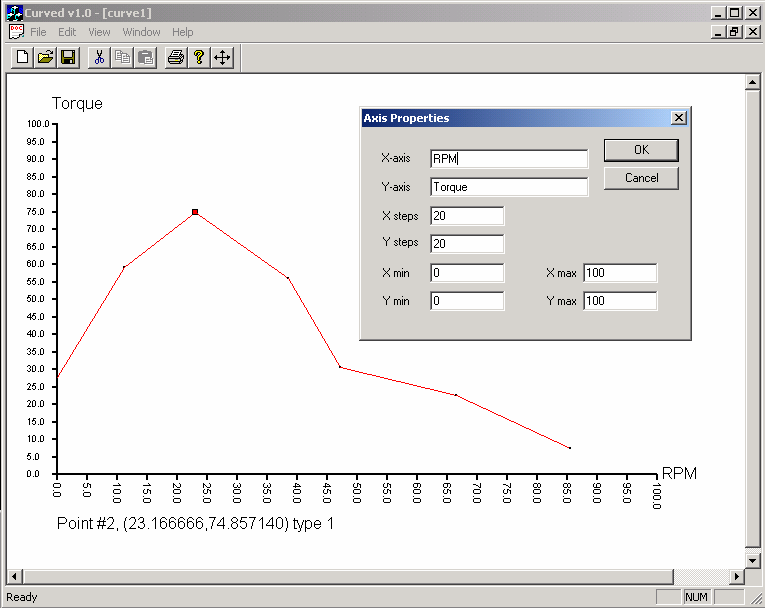 |
Defining
the axes and value ranges (note this is an awful example that doesn't
look very much like an actual torque curve, which has its peak often more
to the right of the graph, not even to mention the ranges are not like
real RPM's at all!).
|
Values in front of the left value are constant, and set to the value of the first key point. Values beyond the last point are set in the same way to the value of the last key. Values inbetween are interpolated linearly, as indicated onscreen.
To add points, just click anywhere in the view where there is no point already. A point will be created.
To remove points, click on them and press Ctrl-X or select 'Cut' from the Edit menu.
To modify points more directly, double click on an existing point. A dialog will be presented and you can directly modify values. This is most useful for correctly setting the first and last value on the X-axis, and also sometimes to set the minimum and maximum value correctly (to 0.0 and 1.0, for example). The keyboard shortcut is Ctrl-E.
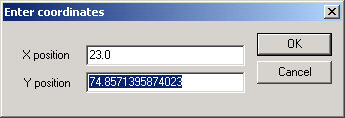 |
Defining
a point more exactly by double clicking on it.
|
Save
the graph as a .crv file. This extension is not really required by Racer, but
it is convenient to do so as standard.
Have a look at a .crv file with Notepad. You'll see it's a regular ASCII ini-type
file.
Engine power
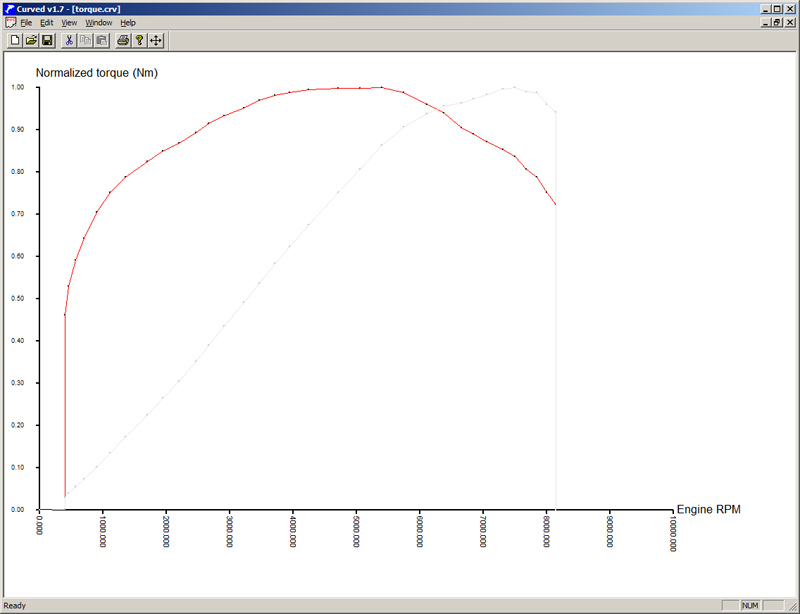
A small helping tool is added into CurvEd to visualize power vs engine torque. Power is defined as torque*rpm, where normally you define rpm on the X axis and engine torque on the Y axis. In the menu, select 'View' -> 'Toggle normalize horsepower display'. That will add a gray line (not editable) which indicates the power curve. This is purely a visual aid. See below for an example.
Keyboard shortcuts
Importing
Since Racer v0.8.34, CurvEd can import text and csv files. CSV files must contains 2 columns; the X and Y coordinates. Text files are the same, separated by spaces or TABs.
(last updated December 30, 2014 )